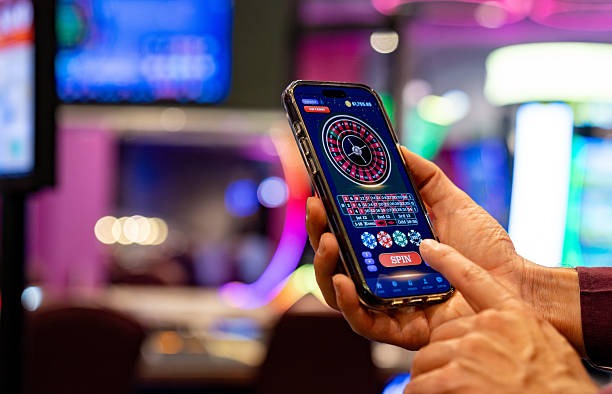
Download and install jogja
iOS & Web Browser
Open jogja in Safari, Chrome, or any modern browser. No installation required.
Access jogjaInstallation steps
- Download the jogja APKOn your Android device, visit our download page and tap the Android APK link; the file saves to your Downloads folder.
- Enable unknown sourcesGo to Settings → Security, toggle "Unknown Sources" on, and confirm the warning (this allows installation from outside the Play Store).
- Install the APKOpen your file manager, navigate to Downloads, tap the jogja APK, and follow the installation prompts; the app installs within seconds.
- Register or log inLaunch the jogja app, create a new account (email, password, mobile number) or log in with existing credentials, then verify your email and proceed to deposit.
For iOS users, simply open Safari and visit jogja.bet directly; the browser experience is optimized for iPhone and iPad. No APK or app-store installation is needed. For Android users who prefer not to enable unknown sources, you may also use Chrome or Firefox to access jogja in the browser instead.

App vs. browser: what's the difference
The jogja app (Android APK) and the browser version (iOS Safari, Chrome on Android) deliver nearly identical experience. The app offers offline game caching, which reduces load times on slower connections and lets you browse game libraries without an internet connection. The app also sends push notifications for live events (Liga 1 goals, new tournament launches) and account alerts (deposit confirmations, withdrawal status). The browser version requires an active internet connection but needs no installation and updates automatically whenever you visit jogja.bet. Both versions sync your account balance, transaction history, and payment methods in real time, so switching between app and browser does not affect your gameplay or funds.
Device requirements and compatibility
Our jogja app runs on Android 7.0 or later; most devices from 2016 onwards meet this requirement. For iOS, we support version 12.0 or later; this covers iPhone 5s and newer. All modern browsers (Chrome, Safari, Firefox, Edge) on both platforms work with our web version. If your device is older than these minimums, you may still access jogja via a mobile browser if the operating system is recent enough, but full app features (offline cache, push notifications) may not be available.
Common installation issues and troubleshooting
The most frequent installation problem is the "Unknown sources" warning on Android. This security feature prevents malware by blocking installation from untrusted sources. To proceed, go to Settings → Security → Unknown Sources (or "Install from unknown apps" on newer Android versions), select the jogja app, and toggle permission on. The jogja APK comes from our official website and is safe to install. If you see a certificate error after tapping install, your device may not trust the certificate; try again after a few seconds, or clear your browser cache and re-download the APK. If the installation fails midway, delete the partial APK from Downloads and retry. For iOS users, if jogja loads slowly in Safari, force-close the browser (swipe up from the app switcher) and reopen it; this clears temporary cache and often restores speed. If you still encounter issues, contact our support team during business hours; we can guide you through installation step by step.

Data, permissions, and account security
When you install the jogja app, it requests permission to access your device storage (to cache games), send notifications, and access your camera (for identity verification during KYC). The app does not require access to your contacts, call logs, or other sensitive data. All communication between the jogja app and our servers is encrypted using industry-standard SSL/TLS. Your login credentials, payment information, and account balance are never stored on your device in plain text; they are transmitted securely to our servers and verified each session. If you lose or replace your phone, your account remains intact on our servers; simply log in again on the new device using your username and password. If your device is stolen, contact our support team immediately; we can temporarily lock your account pending verification of identity.
Key takeaways
- jogja is available via Android APK, iOS Safari browser, and responsive web app—all synced in real time.
- Android installation requires enabling "Unknown sources"; iOS users simply open a browser.
- The app offers offline caching and push notifications; the browser version works without installation.
- We support Android 7+ and iOS 12+; most devices from the past eight years are compatible.
- Common issues (unknown sources, slow loading, installation pauses) resolve quickly with troubleshooting or support assistance.
- All data is encrypted; account balance and credentials are never stored on your device.